
Paying for your NBI Clearance used to mean long queues, confusing steps, and wasted time. Now, with GCash, you can complete your payment in minutes, right from your phone. If you’re stuck on the payment step after booking your NBI appointment or unsure how GCash works for this process, this guide will walk you through everything clearly so you can avoid delays and get your clearance smoothly.
NBI Payment Gcash Method
The process is straightforward, but it’s important to follow each step correctly to avoid payment issues.
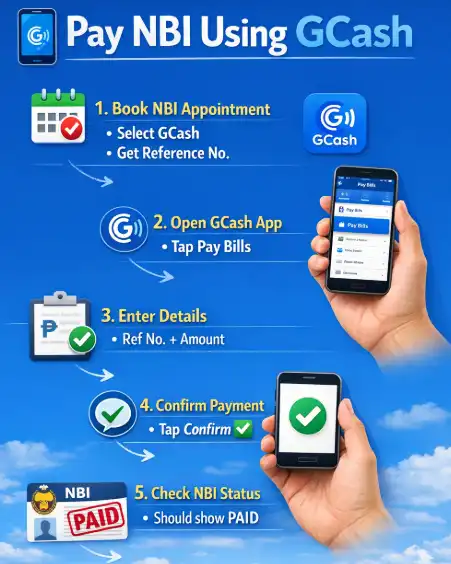
1. Complete Your NBI Online Appointment
Start by logging into your NBI account and selecting your preferred appointment schedule. Once done, choose GCash as your payment method. The system will generate a reference number, this is crucial for your payment.
2. Open Your GCash App
Launch the GCash app on your phone and log in securely. Make sure your account is active and has enough balance before proceeding.
3. Navigate to “Pay Bills”
Inside the app, tap on “Pay Bills”. This section allows you to pay government services, including NBI.
4. Select the Appropriate Biller
Look for the category related to government payments. Depending on updates, NBI payments may be processed through authorized partners or billers. Enter your reference number carefully when prompted.
5. Enter Payment Details
Fill in the required fields accurately:
- Reference Number (from NBI)
- Amount to be paid
- Email or mobile number (if required)
Double-check everything before confirming the payment to avoid errors.
6. Confirm and Complete the Payment
Tap “Confirm” and wait for the transaction to process. Once successful, you’ll receive a confirmation message from GCash.
7. Verify Payment in Your NBI Account
Go back to your NBI account and check your application status. It should update to “Paid” within minutes, allowing you to proceed to your appointment.
Tips to Make Your NBI Payment Smooth and Fast
Small mistakes can slow down your application, so it’s worth taking a few precautions.
- Always screenshot your payment confirmation
- Avoid paying during system maintenance hours
- Use a stable internet connection
- Ensure your GCash account is fully verified
- Double-check your reference number before paying
Following these tips can save you time and prevent unnecessary stress.
Frequently Asked Questions
What happens if I enter the wrong reference number?
Your payment may not match your application. You’ll need to contact support with your transaction details to resolve it.
Is there an extra fee when paying NBI using GCash?
Yes, a small convenience fee (around ₱25–₱50) is added on top of the clearance fee.
Can I get a refund if I paid incorrectly?
Refunds are not guaranteed and depend on the situation. It’s best to contact NBI or the payment provider immediately.
Do I need to print the payment receipt?
It’s not always required, but keeping a digital or printed copy is recommended for verification.
Paying your NBI Clearance using GCash is one of the fastest and most convenient options available today. It removes the hassle of physical payments, reduces waiting time, and allows you to complete the process from anywhere.
