Quick NBI Online Appointment Process: Reserve Your Slot
Booking an NBI online appointment has revolutionized the clearance application process, eliminating long queues and making it easier to secure your preferred date and time. The National Bureau of Investigation’s online appointment system allows you to reserve your slot in advance, choose your preferred NBI center, and complete your clearance application efficiently. This comprehensive guide walks you through the entire online appointment process, from registration to confirmation, ensuring you successfully book your NBI clearance appointment on your first try.
Why Schedule Your NBI Appointment Online?
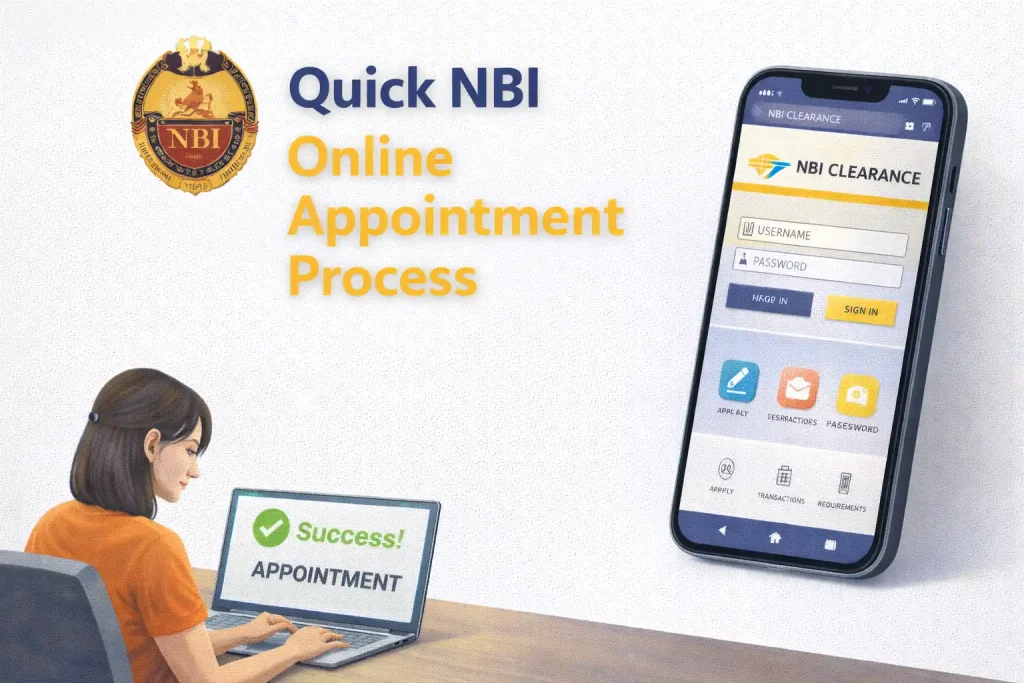
The NBI online appointment system offers numerous advantages over walk-in applications:
Benefits of Online Appointment
✓ No Long Queues: Skip the long lines by booking your specific time slot in advance.
✓ Choose Your Schedule: Select the date, time, and NBI center that’s most convenient for you.
✓ 24/7 Availability: Book your appointment anytime, even outside office hours.
✓ Guaranteed Slot: Your reserved appointment ensures you’ll be accommodated on your chosen date.
✓ Faster Processing: Pre-registered applications are processed more efficiently at the center.
✓ Email Confirmation: Receive instant confirmation and reminders about your appointment.
What You Need Before Booking
Prepare these items before starting your online appointment to ensure a smooth booking process:
Required Information
Personal Information:
- Full name (exactly as it appears on your valid ID)
- Date of birth
- Place of birth (city/municipality and province)
- Complete current address
- Contact number (active mobile number)
- Email address (for confirmation and notifications)
Additional Details:
- Father’s full name
- Mother’s maiden name
- Purpose of NBI clearance (employment, travel, business, etc.)
- Height and weight (approximate)
Payment Method:
- Credit/debit card
- E-wallet account (GCash, PayMaya)
- Online banking credentials
- Or plan to pay at payment centers
Important: Have your valid government-issued ID ready for reference. The name you enter must match your ID exactly to avoid issues during your NBI center visit.
Complete Online Appointment Booking Process
Follow these detailed steps to successfully book your NBI online appointment:
Step 1: Access the NBI Website
Open Your Browser: Use any web browser (Chrome, Firefox, Safari, Edge) on your computer or mobile device.
Visit the Official Website: Go to www.nbi.gov.ph
Find the Online Application: Look for the “Online Application” or “Apply for NBI Clearance” button on the homepage. Click it to begin.
Security Warning: Always use the official NBI website (www.nbi.gov.ph). Beware of fake websites or scam sites asking for payment before the official process.
Step 2: Choose Application Type
New Application: Select this if you’re applying for NBI clearance for the first time or if your previous clearance expired years ago.
Renewal: Choose this if you’re renewing an existing or recently expired clearance. (Note: The system may treat both the same way, so either option works.)
Re-print: Select if you need a new copy of your existing valid clearance due to loss or damage.
Step 3: Fill Out Personal Information
Complete the online registration form with accurate information:
Name Section:
- Last name / Surname
- First name
- Middle name
- Name extension (Jr., Sr., III) if applicable
Birth Information:
- Date of birth (MM/DD/YYYY)
- Place of birth (city/municipality)
- Province of birth
Current Address:
- House number / Lot / Street
- Barangay
- City / Municipality
- Province
- ZIP code
Contact Details:
- Mobile number (11 digits starting with 09)
- Email address (use an active email you check regularly)
Parents’ Information:
- Father’s full name
- Mother’s maiden name (her surname before marriage)
Additional Information:
- Height (in feet/inches or centimeters)
- Weight (in pounds or kilograms)
- Gender
- Civil status
Step 4: Select Purpose of Clearance
Choose the reason you need NBI clearance from the dropdown menu:
| Purpose Options |
|---|
| Local Employment |
| Overseas Employment |
| Travel / Visa Application |
| Business / Professional License |
| School Requirement |
| Adoption |
| Immigration |
| Other Legal Purposes |
Step 5: Choose Your NBI Center
Select the NBI clearance center where you want to have your biometrics taken and claim your clearance:
Location Options: The system will show available centers grouped by region:
- Metro Manila (Main Office, SM branches, Robinsons branches, etc.)
- Luzon provinces (Pampanga, Bulacan, Cavite, Laguna, Baguio, etc.)
- Visayas (Cebu, Iloilo, Bacolod, etc.)
- Mindanao (Davao, Cagayan de Oro, General Santos, etc.)
Tips for Choosing a Center:
- Pick the center closest to your home or workplace
- Consider less crowded satellite offices for faster service
- Check if the center has available slots for your preferred dates
- You can choose ANY center regardless of your address
Step 6: Select Your Appointment Date and Time
View Available Slots: After selecting your center, a calendar will appear showing available dates (usually up to 30 days in advance).
Choose Your Date: Click on a date that works for you. Dates with available slots will be highlighted or clickable.
Select Time Slot: Once you pick a date, available time slots for that day will appear. Common time slots include:
- Morning slots: 8:00 AM, 9:00 AM, 10:00 AM, 11:00 AM
- Afternoon slots: 1:00 PM, 2:00 PM, 3:00 PM, 4:00 PM
Booking Tips:
- Early morning slots (8-9 AM) are usually less crowded
- Avoid Mondays and Fridays when centers are typically busiest
- Tuesday-Thursday appointments often have better availability
- Book at least 3-5 days in advance for best slot selection
Step 7: Review Your Information
Double-Check Everything: Before proceeding to payment, carefully review all the information you entered:
- Verify your name matches your valid ID exactly
- Check date of birth and other personal details
- Confirm your contact number and email are correct
- Ensure your chosen center, date, and time are as intended
Critical Step: Name errors are the most common issue. If your name on the form doesn’t match your ID exactly, you may be turned away at the NBI center or charged a correction fee of ₱2,200-₱2,700.
Step 8: Submit and Get Reference Number
Submit Your Application: Click the “Submit” or “Proceed to Payment” button.
Receive Reference Number: You’ll immediately receive a unique reference number (combination of letters and numbers). This number will be sent to:
- Your email address
- Your mobile number via SMS
- Displayed on screen (screenshot or note it down)
Save Your Reference Number: This is crucial for payment and your appointment. Keep it safe!
Step 9: Pay the ₱155 Fee
Your appointment is not confirmed until you complete payment. You have several payment options:
Online Payment (Recommended):
- Credit/Debit Cards (Visa, Mastercard, JCB)
- GCash e-wallet
- PayMaya e-wallet
- Online banking (BPI, BDO, UnionBank, etc.)
Over-the-Counter Payment:
- Bayad Center
- SM Bills Payment counters
- 7-Eleven (CLiQQ kiosk)
- M Lhuillier branches
- Banks accepting NBI payments
Payment Deadline: Complete payment within the timeframe specified (usually 24-48 hours) to secure your appointment slot.
Step 10: Receive Appointment Confirmation
After successful payment:
Email Confirmation: You’ll receive an email with:
- Your booking reference number
- Appointment date, time, and location
- List of requirements to bring
- Instructions for your NBI center visit
SMS Notification: A text message confirming your appointment will be sent to your mobile number.
Print or Save: Print your appointment confirmation or save it on your phone to show at the NBI center.
What to Do After Booking Your Appointment
Before Your Appointment Date
1. Mark Your Calendar: Add your appointment to your phone calendar with a reminder 1-2 days before.
2. Prepare Your Valid ID: Ensure you have a government-issued ID with photo and signature. Accepted IDs include passport, driver’s license, postal ID, SSS ID, voter’s ID, or National ID.
3. Print or Screenshot Confirmation: Have your appointment confirmation ready either printed or saved on your phone.
4. Plan Your Travel: Check the NBI center’s exact location and plan your route to arrive on time.
5. Dress Appropriately: Wear decent clothing as a photo will be taken for your clearance. Avoid sleeveless tops or overly casual attire.
On Your Appointment Day
Arrive 15-30 Minutes Early: This gives you time for any preliminary checks and ensures you don’t miss your slot.
Bring Required Documents:
- Valid government-issued ID (original)
- Appointment confirmation (printed or on phone)
- Payment receipt (if you paid over-the-counter)
Follow the Process:
- Present your appointment confirmation at reception
- Wait for your queue number to be called
- Proceed to biometrics capture (fingerprints and photo)
- Wait for processing and clearance printing
- Claim your NBI clearance (same day if no hit)
How to Manage or Change Your Appointment
Rescheduling Your Appointment
Can You Reschedule? Yes, but policies may vary. Contact the NBI clearance division as soon as possible if you need to change your appointment.
How to Reschedule:
- Call the NBI hotline: (02) 8523-8231 to 38
- Email: [email protected] with your reference number
- Some centers allow rescheduling through the website
Rescheduling Limitations:
- May be limited to one reschedule only
- Subject to slot availability
- Must be done before your original appointment date
If You Miss Your Appointment
What Happens: Your payment may be forfeited, and you’ll need to book a new appointment and pay again.
Possible Options: Contact the NBI center immediately to explain your situation. Some centers may accommodate you on a walk-in basis if slots are available.
Common Booking Issues and Solutions
Payment Not Processing
Problem: Payment fails or doesn’t reflect in the system.
Solution: Check with your bank or e-wallet. Contact NBI clearance division with your reference number and payment proof. Try alternative payment methods.
Didn’t Receive Confirmation Email
Problem: No confirmation email after booking and payment.
Solution: Check spam/junk folders. Verify email address was entered correctly. Contact NBI with your reference number to resend confirmation.
Error in Personal Information
Problem: Noticed a mistake after submitting the form.
Solution: Minor errors may be corrected at the NBI center. Major errors (especially in name) require rebooking. Contact NBI immediately to discuss options.
Tips for Successful Online Appointment Booking
1. Book Early
Don’t wait until the last minute. Book at least 1-2 weeks in advance for better slot selection, especially if you need your clearance by a specific date.
2. Have Information Ready
Prepare all required information before starting the form to avoid timeout issues or errors from rushing.
3. Use Correct Name Format
Enter your name EXACTLY as it appears on your valid ID. This is the most common source of problems.
4. Double-Check Before Submitting
Review every field carefully. It’s easier to correct mistakes before submission than after payment.
5. Pay Immediately
Complete payment as soon as possible after booking to secure your slot. Delayed payment may result in losing your appointment.
Booking your NBI online appointment is a straightforward process that takes just 10-15 minutes when you have all the necessary information ready. The online system has made getting NBI clearance more convenient than ever, allowing you to skip long queues and choose a schedule that fits your lifestyle.
Follow the step-by-step guide above to successfully reserve your slot. Remember to prepare your information in advance, double-check everything before submitting, and complete your payment promptly to confirm your appointment. With proper preparation and by following these instructions, you’ll secure your NBI clearance appointment on your first try.
Book early, arrive on time, and bring all required documents to ensure a smooth NBI clearance application experience.
Frequently Asked Questions
How do I book an NBI online appointment?
Visit www.nbi.gov.ph, click “Online Application,” fill out the registration form with your personal information, choose your preferred NBI center and appointment date/time, then pay the ₱155 fee to confirm your booking.
How far in advance can I book my NBI appointment?
You can typically book up to 30 days in advance, though availability varies by center. It’s recommended to book at least 3-5 days ahead for better slot selection.
Is online appointment required for NBI clearance?
While some NBI centers still accept walk-ins, online appointments are highly recommended as they guarantee you a slot and significantly reduce waiting time.
How much does it cost to book an NBI appointment online?
The online appointment itself is free. You only pay the standard ₱155 NBI clearance fee when you book your slot.
Can I change my NBI appointment after booking?
Yes, you can usually reschedule, but you must contact the NBI clearance division before your original appointment date. Rescheduling is subject to availability and may be limited to one change only.
What happens if I don’t receive my appointment confirmation?
Check your email’s spam/junk folder. If it’s not there, contact the NBI clearance division with your reference number to have the confirmation resent.
Can I book an appointment at any NBI center?
Yes, you can book an appointment at any NBI clearance center nationwide, regardless of your home address or where you live.
What should I bring to my NBI appointment?
Bring your valid government-issued ID (original), appointment confirmation (printed or on phone), and payment receipt if you paid over-the-counter.
